
The Analyst's Stack Part 12 of 22
Recording a source that has no API
A recorder for a source that offers no way to take anything with you: capture what it renders, normalise it, replay it on your own map.
Why I built it
Some sources hand you a download link. Most do not, and a few are built so that they never will. The data is on your screen, nowhere else you can reach, and the polite request for an export has no recipient.
Mine was a live tracking site with no export. You pick an area, a start time and a duration, and it plays the movement back at you. You can watch it. You cannot keep it. Come back in a month and the window you wanted has aged out of what it will serve.
By hand that means screenshotting at intervals and transcribing positions off pictures to a precision of roughly “somewhere near there, at about that minute”. For one afternoon, fine. For several weeks of a busy shipping lane you will get it wrong.
Then the obvious thought, which took me embarrassingly long. Whatever that map draws, it first had to fetch. The data has already reached my machine or there would be nothing on the screen. It is not unavailable. It is unexported.
What it solves
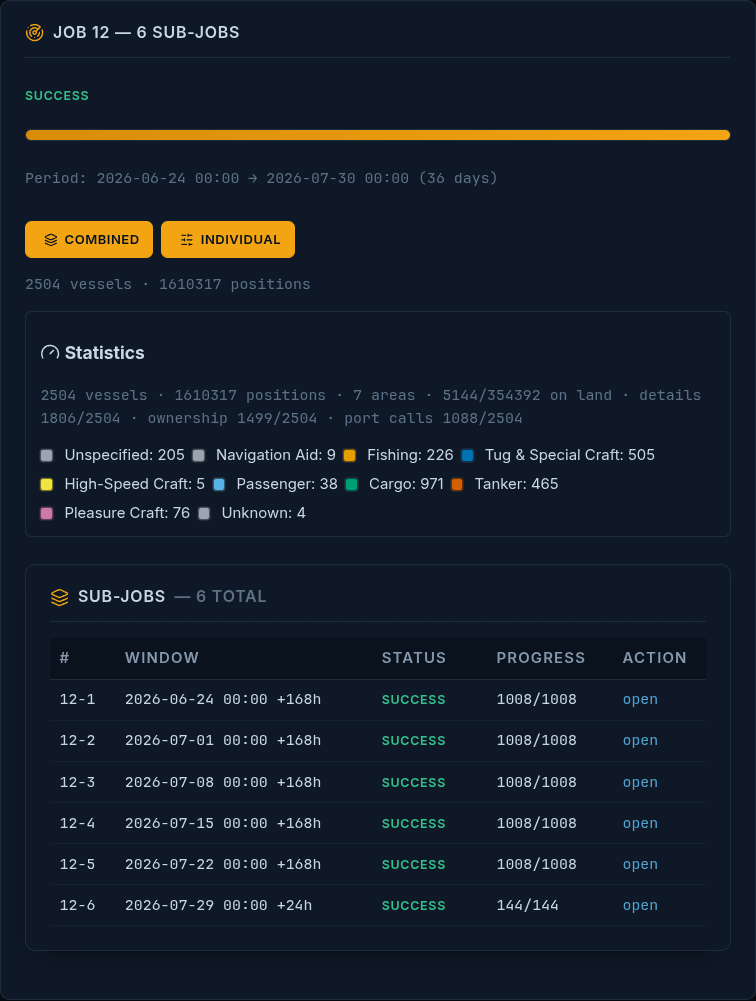
I define the window once — an area, a start time, a duration — and the recorder walks it, writing everything it gets into a SQLite file on my disk. From there the source is not involved: the same movement replays offline, at any speed, next year, with filters and exports the original never offered.
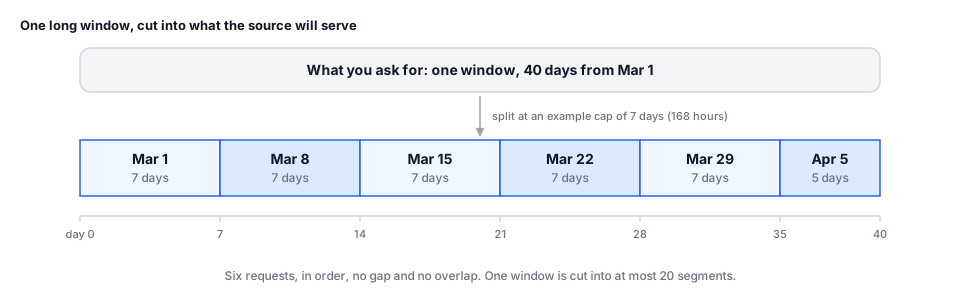
The window can be far longer than the source will serve at once. Anything over the source’s per-request limit is split into consecutive segments, up to 20 of them, so one pasted window can cover months.
How it works


Collect. The window arrives as the map’s own playback request, copied out of the browser: the corners of the view, a start time, a duration, a chunk size. The recorder rebuilds it once per chunk and fetches 5 at a time, spacing the launches so the pace stays close to a person clicking. Every raw response goes to disk before anything parses it. That order matters — a parser bug is fixable tomorrow, a chunk you did not keep is gone.
Normalize. Each response is a bundle of objects carrying lists of fixes. It becomes 2 flat shapes: a vessel row, and one position row per fix with longitude, latitude, speed, course, heading and a timestamp.
Store. SQLite. Vessels are keyed on the identifier the source already assigns; a position is unique on the triple of job, ship and timestamp. When a vessel’s attributes change the old row is archived before the live row is overwritten, so a renamed object cannot quietly rewrite its own past.
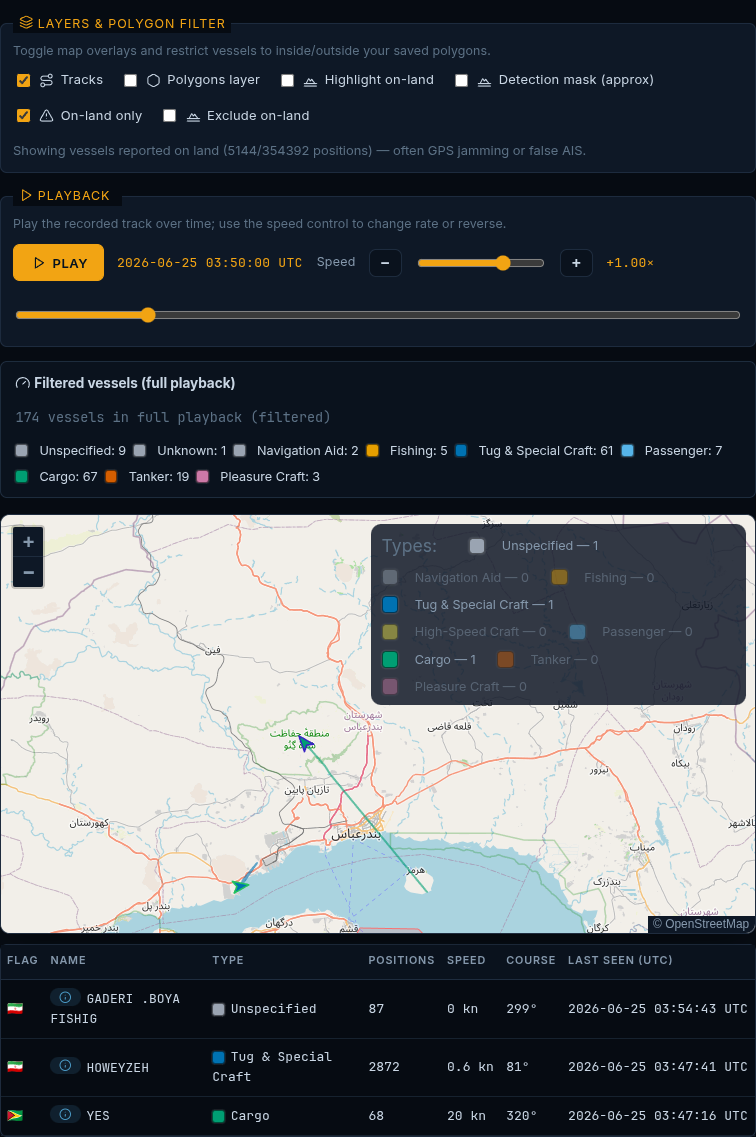
Analyze. Positions are classified as on land or on water when asked — a first hint of a jammed signal. Tracks are also tested against polygons you draw, which turns “who crossed this line, and when” into a query.
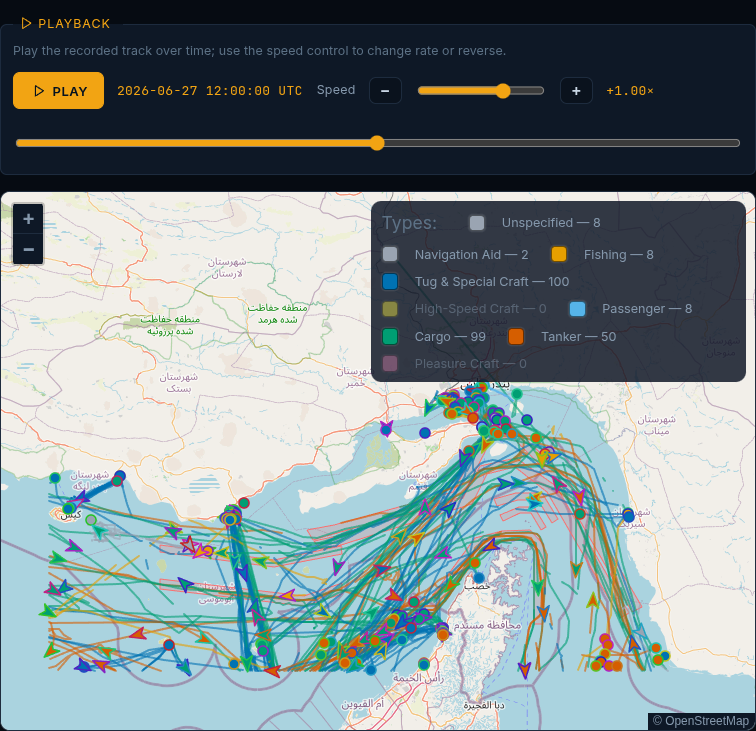
Present. A local map: time scrubber, variable speed, reverse, live per-type counts, polygon filters, and CSV, JSON and GeoJSON export over whatever is on screen.
How I built it
Python 3.12, Flask, SQLite from the standard library, shapely for the geometry, Leaflet
in the browser with no build step. It ships as a container that publishes only to
127.0.0.1 — a tool holding a copy of my own logged-in session has no business listening
on a network.
The interface is deliberately not a generic dashboard: dark and low-glare around a plain street-map base, laid out like a bridge instrument, because it gets stared at in the dark and a chart should read like a chart.
Two decisions mattered; both were about storage.
Raw first, database second. Every chunk lands on disk as it arrives. That file is the checkpoint a job resumes from when it dies two-thirds of the way through, and the bytes a parser change is re-run against.
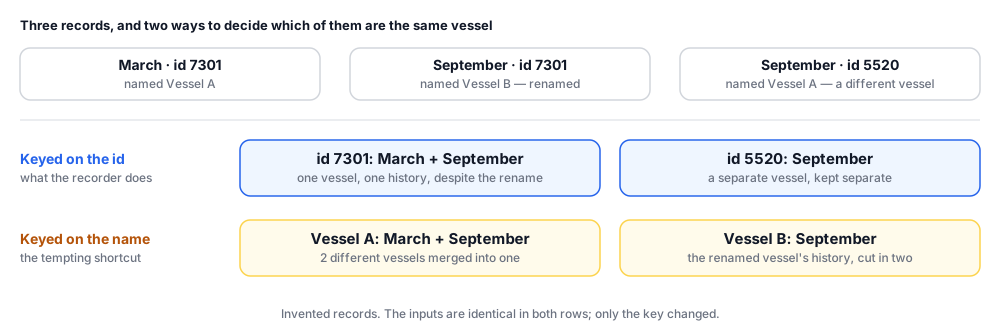
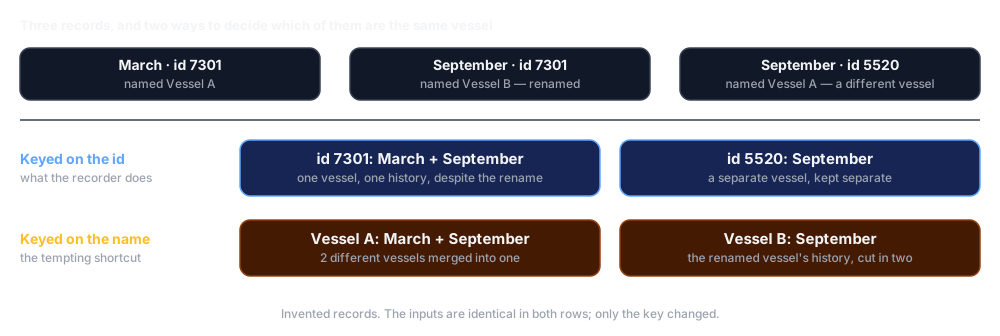
The source’s own identifier is the key, and I never mint my own. This is the unglamorous stage 3 of the spine, and it decides whether anything downstream works. Two records with the same id are the same object; the same id in a window from March and one from September is one vessel with a longer history. Key on a name instead and you get blanks, duplicates, and 2 objects merged because they share a name.
The hard part was neither. The requests have to look like the browser that would have made them, down to the shape of the TLS handshake (the layer that puts the ’s’ in https) — the fine detail OPSEC for automation describes, which gives away the library that opened the connection. Get the shape wrong and the request is refused before it reaches the application, and that is the most fragile thing here.
One decision came before any code. Recording a source’s own playback sits close to the line its terms of use draw, and sometimes over it. I read them first, kept the request rate below what my own clicking would generate, and stored only what I had already been shown. You may reach a different answer. What should not differ is that the question gets asked before the editor is open.
A look at the code
The splitter, rewritten to stand alone:
from datetime import datetime, timedelta

MAX_HOURS = 168          # an example cap; set it to what your source serves per request

def split_window(start, duration_hours, max_hours=MAX_HOURS):
    """Cut a long window into consecutive segments the source will actually serve.
       `start` is 'YYYY-MM-DD HH:MM'. Segments are contiguous: no gap, no overlap."""
    if duration_hours <= max_hours:
        return [{"start": start, "duration_hours": duration_hours}]
    base = datetime.strptime(start, "%Y-%m-%d %H:%M")
    segments, remaining, offset = [], float(duration_hours), 0.0
    while remaining > 1e-9:
        step = min(max_hours, remaining)
        segments.append({
            "start": (base + timedelta(hours=offset)).strftime("%Y-%m-%d %H:%M"),
            "duration_hours": step,
        })
        remaining -= step
        offset += step
    return segments

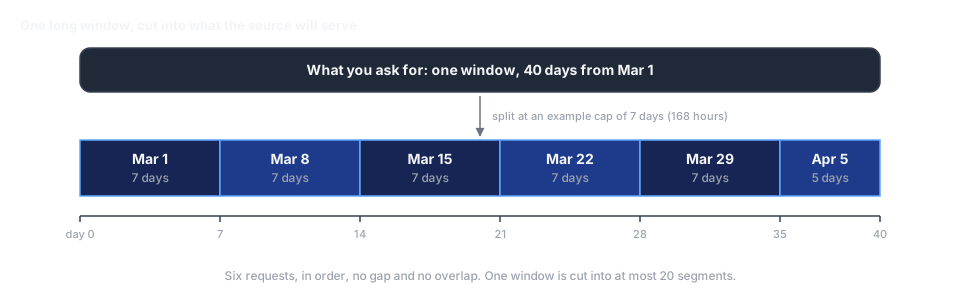
# 40 days becomes 6 requests, in order, with nothing missing between them:
[s["start"] for s in split_window("2026-03-01 00:00", 24 * 40)]
# ['2026-03-01 00:00', '2026-03-08 00:00', '2026-03-15 00:00',
#  '2026-03-22 00:00', '2026-03-29 00:00', '2026-04-05 00:00']
And the fold that turns overlapping chunks into one record per object:
def merge_chunk(acc, chunk):
    """Fold one fetched chunk into the accumulator. `chunk` maps the source's own
       object id to that object's attributes plus a list of timestamped fixes."""
    for object_id, payload in chunk.items():
        entry = acc.setdefault(object_id, {"attrs": None, "fixes": {}})
        entry["attrs"] = payload["attrs"]
        for fix in payload["fixes"]:
            entry["fixes"][int(fix["timestamp"])] = fix   # same timestamp, one fix

def finalize(acc):
    """One record per object, fixes in time order, duplicates already collapsed."""
    return {oid: {**e["attrs"], "fixes": [e["fixes"][t] for t in sorted(e["fixes"])]}
            for oid, e in acc.items()}
Chunks overlap at their edges, and the same window fetched twice returns the same fixes. Keying the inner dictionary on the timestamp makes neither a problem. The database repeats the rule, so re-running a job is a no-op, not a second copy.
What it can’t do
The on-land flag is a heuristic, not a finding
It depends on a session it does not own
Five stages, not six
Where this sits in the series
This is stage 1 of the 6-stage spine against a source that does not want a stage 1 to exist. The first workflow post builds the same identity rule from nothing by hashing a URL; here the source assigns the identifier and the job is to keep using it consistently.
Most readers will never record a vessel track. Nearly every reader has a source like this one — a portal, a viewer, a dashboard that renders exactly what you need and offers no way to take it with you. The answer is the same every time: record what it renders, give each object a key that will still be true next year, keep your own copy.
The stable object key starts a longer argument. Storing and searching what you collect covers the rest: why the recorded observation and your interpretation of it belong in separate layers.